How to Plan IT Asset Replacements Before Problems Start

How to Plan IT Asset Replacements Before Problems Start
Technology assets rarely fail without warning. Often, devices show signs of age through slower performance, recurring maintenance, compatibility issues, or rising support costs long before they stop working completely.
Waiting until a laptop, server, printer, or network device fails can disrupt daily work and lead to rushed purchasing decisions. A planned replacement approach helps businesses prepare for aging technology before it becomes a problem.
Keep an Accurate Asset Inventory
The first step in replacement planning is knowing exactly what technology the business currently uses.
An asset inventory may include:
- Laptops and desktops
- Printers and scanners
- Servers
- Networking equipment
- Mobile devices
- Monitors
- Storage devices
- Software and licenses
- Other business technology
Each asset record should ideally include useful information such as purchase date, model number, location, assigned user, warranty status, and current condition. Without accurate records, businesses may not realize how old certain devices are until problems appear.
Track the Age of Important Equipment
Technology does not have one fixed replacement schedule. Different devices have different useful lifespans depending on workload, environment, maintenance, and technical requirements. Still, asset age is an important planning factor. An older device may keep working, but the business should consider whether it is becoming harder to support. Tracking age helps identify equipment that may require closer review before the next budgeting period. Instead of replacing everything at once, businesses can create priority-based replacement groups.
Watch for Declining Performance
Slower performance is often one of the earliest signs that an asset may be approaching replacement.
Employees may notice:
- Slow startup times
- Applications taking longer to open
- Frequent freezing
- Poor multitasking performance
- Delayed file access
- Reduced network performance
Performance problems do not always mean a device must be replaced immediately. Sometimes maintenance, storage cleanup, memory upgrades, or software changes can help. However, if performance problems continue after reasonable adjustments, replacement planning may be more practical than repeated fixes.
Review Maintenance and Repair History
A device that requires frequent repair can become expensive to keep in service.
Businesses should track:
- Service calls
- Replacement parts
- Repair costs
- Downtime
- Recurring technical issues
If maintenance costs continue increasing, the organization should compare the cost of continued support with the cost of replacement. A device may still be operational but no longer economical to maintain. Looking at maintenance history can help businesses identify these situations earlier.
Check Warranty and Support Status
Warranty information is another useful indicator of replacement needs. Once a device moves outside its warranty period, repairs may become more expensive and support options may become limited.
Businesses should also consider whether the manufacturer still provides:
- Replacement parts
- Technical support
- Firmware updates
- Software updates
- Security updates
Unsupported technology can create operational and security concerns even if the hardware continues to function. Tracking warranty and support end dates helps businesses prepare before these changes affect daily operations.
Consider Software Compatibility
Don't base technology replacement only on physical condition. Older devices may struggle to support newer software, operating systems, business applications, or security requirements.
Common compatibility problems may include:
- Unsupported operating systems
- Insufficient memory
- Limited storage
- Outdated processors
- Missing security capabilities
- Incompatible drivers
- Limited connectivity
If business applications continue evolving while hardware remains unchanged, performance and compatibility problems may become more frequent. Replacement planning should therefore consider both current and expected software requirements.
Identify Business-Critical Assets
Not every device is equally important. A computer used for occasional administrative work may create less disruption if it fails than a server, network device, or workstation supporting critical business operations. Businesses can classify assets according to operational importance.
For example:
High Priority:Devices supporting critical systems, infrastructure, security, or key business functions.
Medium Priority:Devices used regularly but with available alternatives.
Lower Priority:Secondary or lightly used equipment.
This approach helps businesses focus replacement budgets where failures would cause the greatest disruption.
Build a Replacement Schedule
After reviewing assets, create a structured replacement schedule.
The schedule may consider:
- Device age
- Condition
- Maintenance history
- Warranty status
- Performance
- Compatibility
- Business importance
- Expected future requirements
Rather than replacing many devices unexpectedly, businesses can spread upgrades across multiple budgeting periods. For example, one group of older laptops may be replaced this year, while another group remains scheduled for the following year. This creates a more predictable approach to technology spending.
Budget Before Replacement Becomes Urgent
Emergency replacements can create financial pressure because they happen without warning. Planned replacement allows businesses to estimate upcoming technology costs in advance.
Annual budgeting can include expected spending for:
- Hardware replacement
- Software upgrades
- Installation
- Migration
- Accessories
- Licensing
- Support
This makes it easier to compare product options and vendor quotations without rushing into a purchase because an essential device has already failed.
Plan for Data Migration
Replacing a technology asset often involves more than purchasing new hardware.
Businesses may also need to move:
- Files
- Applications
- User settings
- Accounts
- Security configurations
- Business data
Planning this transition before replacement reduces disruption. Back up data appropriately, and check important applications for compatibility with the new device. For critical assets, migration planning may need to happen well before the old equipment is removed.
Coordinate Replacements With Business Changes
Technology replacement can be more effective when aligned with broader business plans.
For example, a business may already be preparing for:
- Office relocation
- Department expansion
- New employees
- Software migration
- Infrastructure upgrades
- Hybrid working changes
Instead of replacing individual assets separately, it may be more practical to coordinate upgrades with these wider changes. This can improve standardization and reduce duplicated work.
Review Replacement Plans Regularly
A replacement schedule should not remain unchanged for years.
Technology requirements can shift because of:
- Business growth
- New applications
- Budget changes
- New working arrangements
- Security requirements
- Vendor changes
Regularly reviewing the plan helps businesses adjust priorities. A device originally scheduled for replacement next year may need earlier attention if performance declines. Another asset may remain useful longer than expected. Planning isn't about replacing technology on a rigid calendar. It is to create visibility and prepare for likely needs.
Replace Technology Before It Becomes a Business Problem
IT asset replacement works best when it is proactive rather than reactive.
By maintaining accurate asset records, monitoring device condition, reviewing warranties, tracking repair costs, and planning budgets, businesses can reduce the likelihood of sudden technology failures disrupting work.
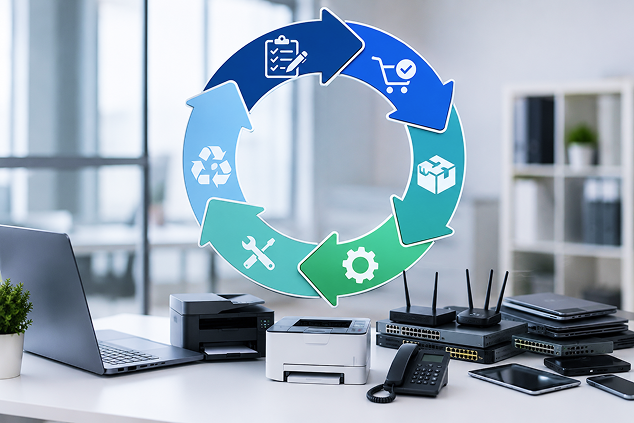
A structured IT Asset Lifecycle Management approach helps organizations understand which assets are still useful, which require closer monitoring, and which should be prepared for replacement.
Tech Gadgetora can support businesses with asset reviews, lifecycle planning, replacement scheduling, and technology planning based on current and future operational requirements.